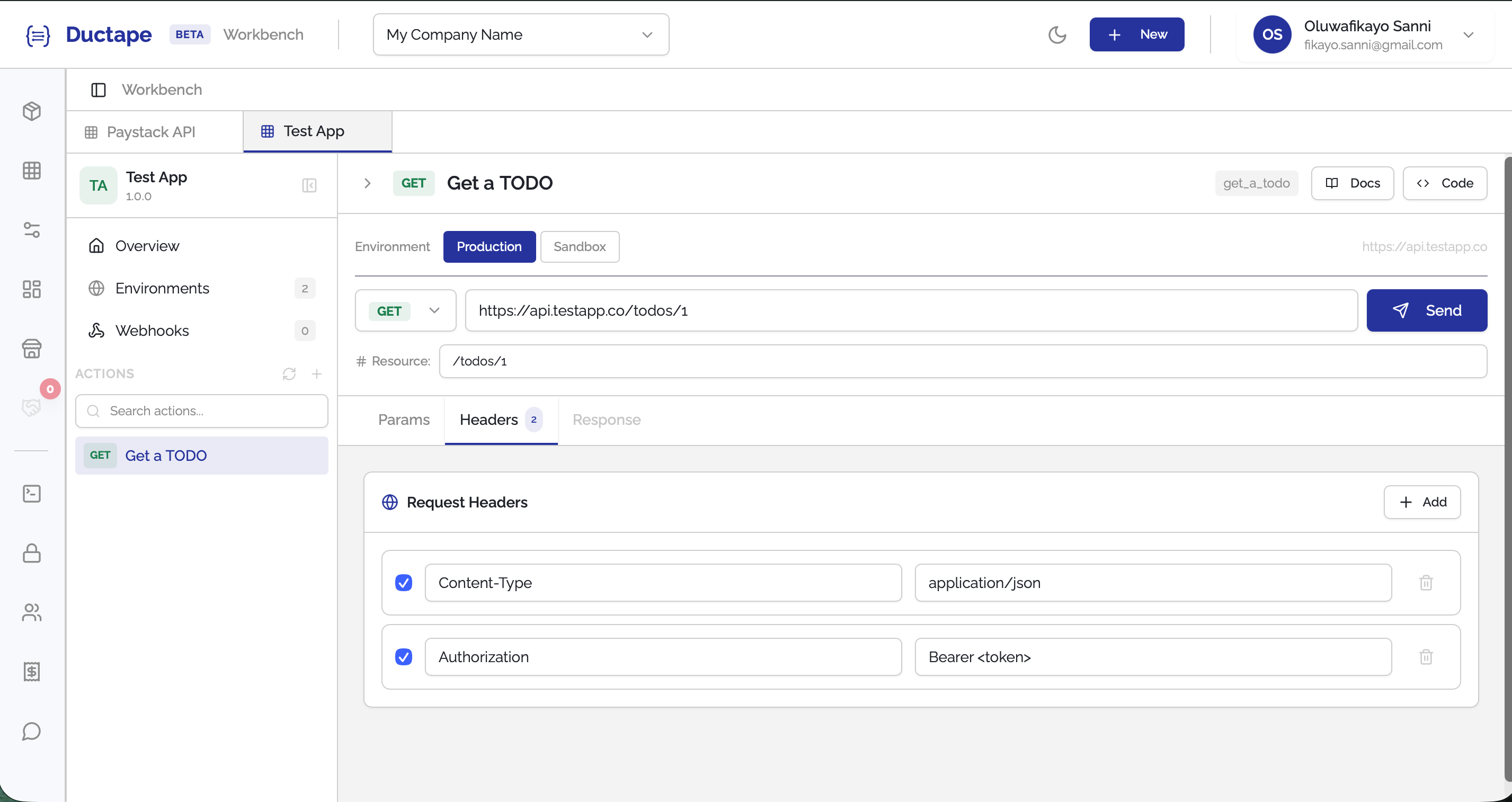
Adding Shared Variables
Shared variables allow you to define reusable request parameters that appear across multiple actions in your app. These are useful when a value (such as an authorization header or query parameter) is required across many endpoints but was not captured in the original API documentation.
Step 1: Open Your App
- Navigate to your Workspace.
- Open the App where you want to add the shared variable.
Step 2: Click the "+" Button
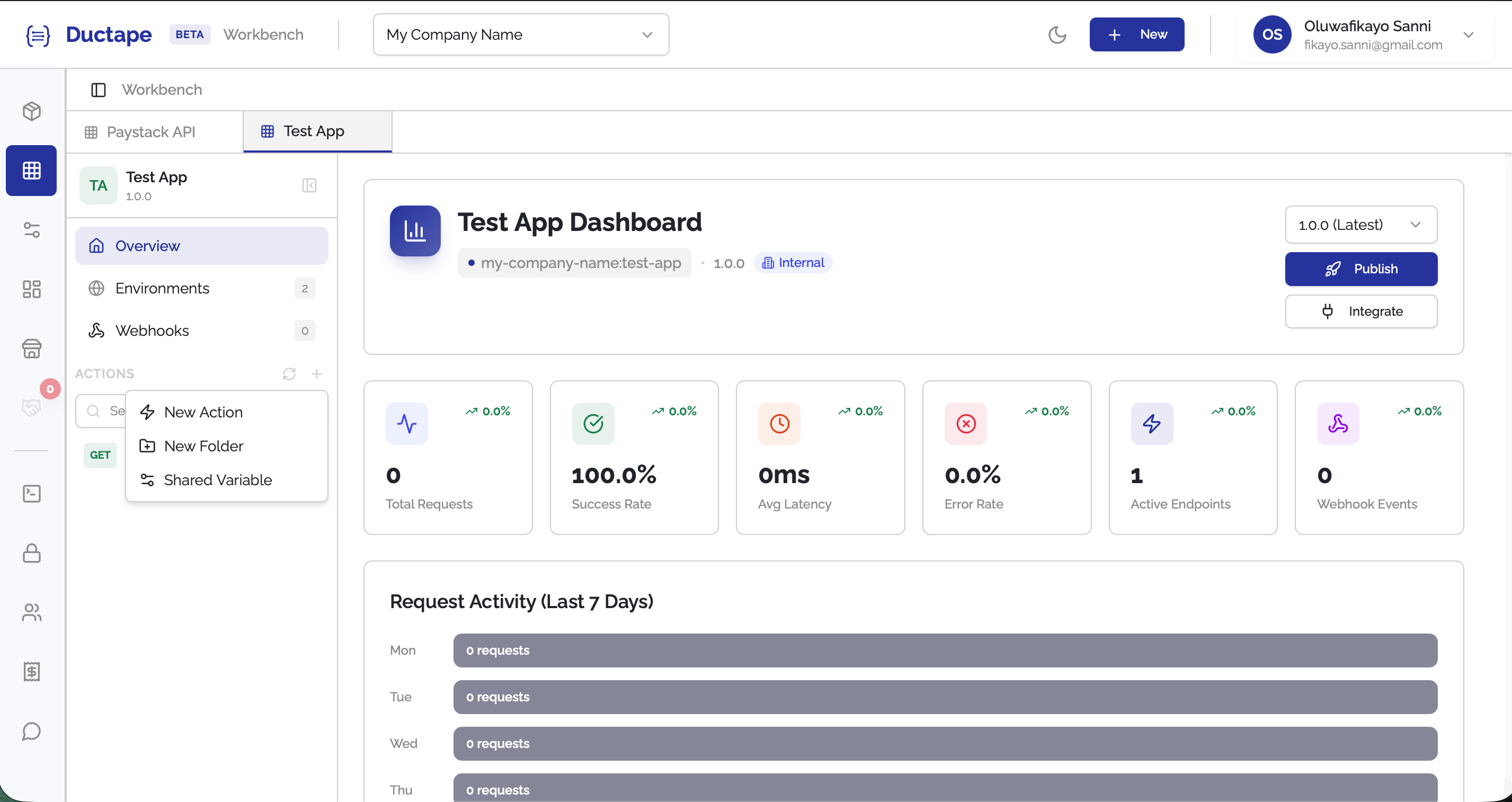
- In the app sidebar, locate the + button next to the Refresh button.
- Click the + button to open the asset dropdown menu.
Step 3: Select "Shared Variable"
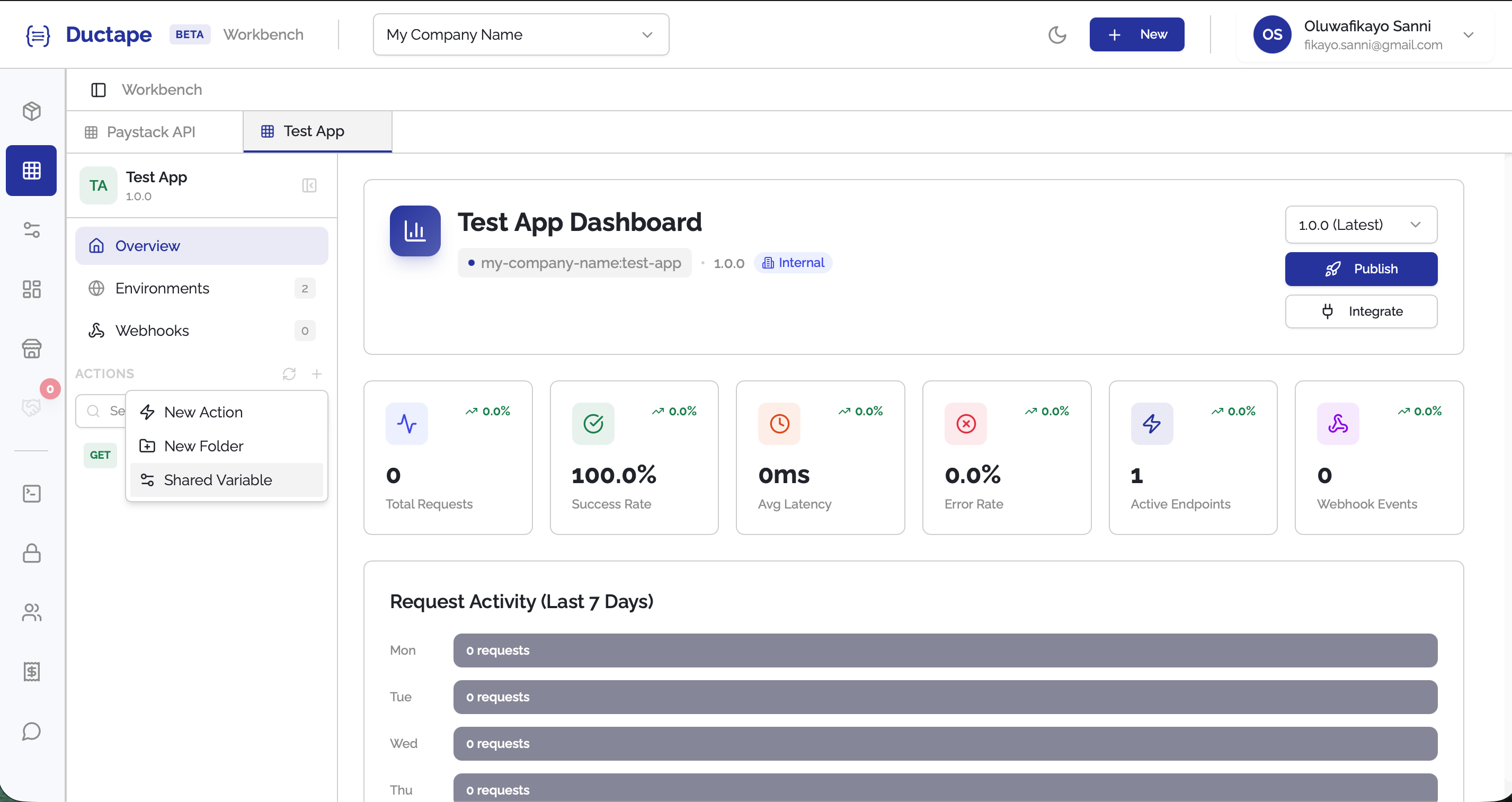
- From the dropdown menu, select Shared Variable.
Options available in the dropdown include:
- New Action
- New Folder
- Shared Variable
Step 4: Configure the Shared Variable
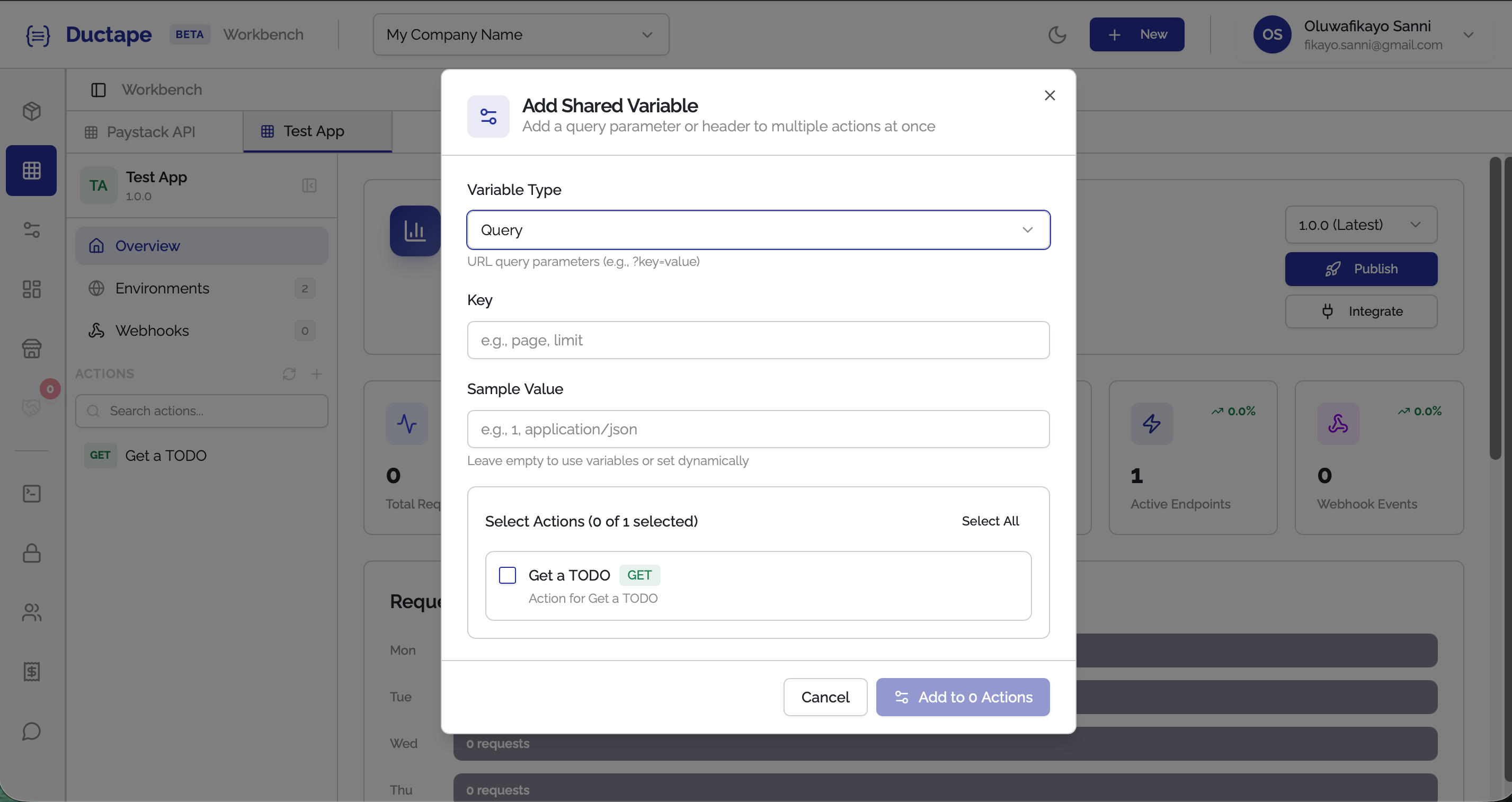
After selecting Shared Variable, a configuration modal will appear.
Fill in the following fields:
| Field | Description |
|---|---|
| Variable Type | Choose where the variable should be applied: Query or Header |
| Key | The parameter key (e.g., Authorization) |
| Sample Value | Example value used for the parameter (e.g., Bearer <Token>) |
Step 5: Select Actions
- Choose the actions you want the variable applied to.
- You can:
- Select actions individually
- Click Select All to apply it to every action in the app.

Step 6: Add the Variable to Actions
- Click the Add to num Actions button.
- A confirmation step will appear asking you to confirm the action.
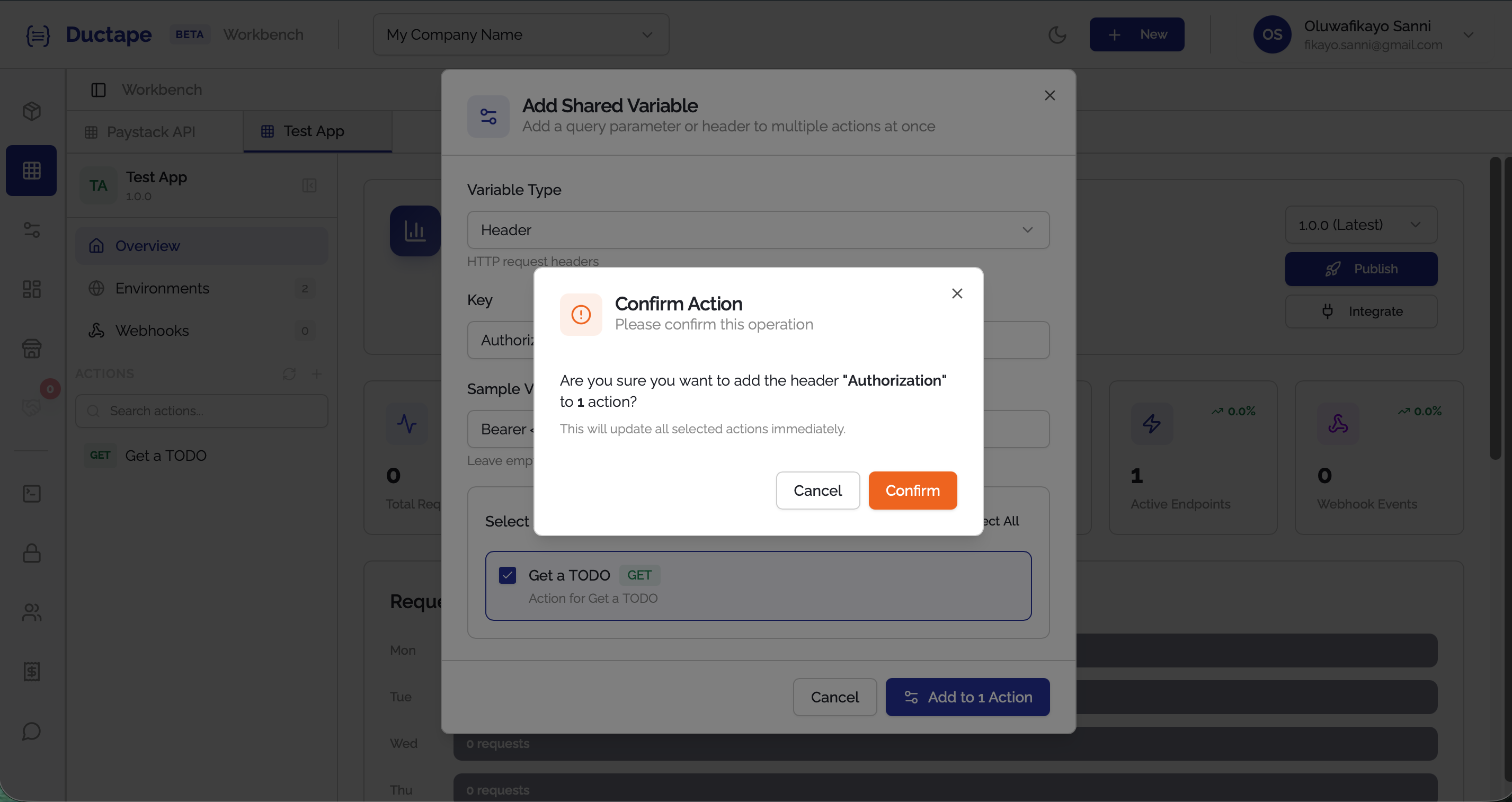
- Click Confirm to proceed.
Step 7: Refresh the App
- After the operation completes successfully, click the Refresh button.
- The variable will now appear in the Query parameters or Headers of the selected actions.